Verily Me
- 4.5
- Rating
- 100.00K
- Installs
- Free
- Price

 Analysis by App-foxy
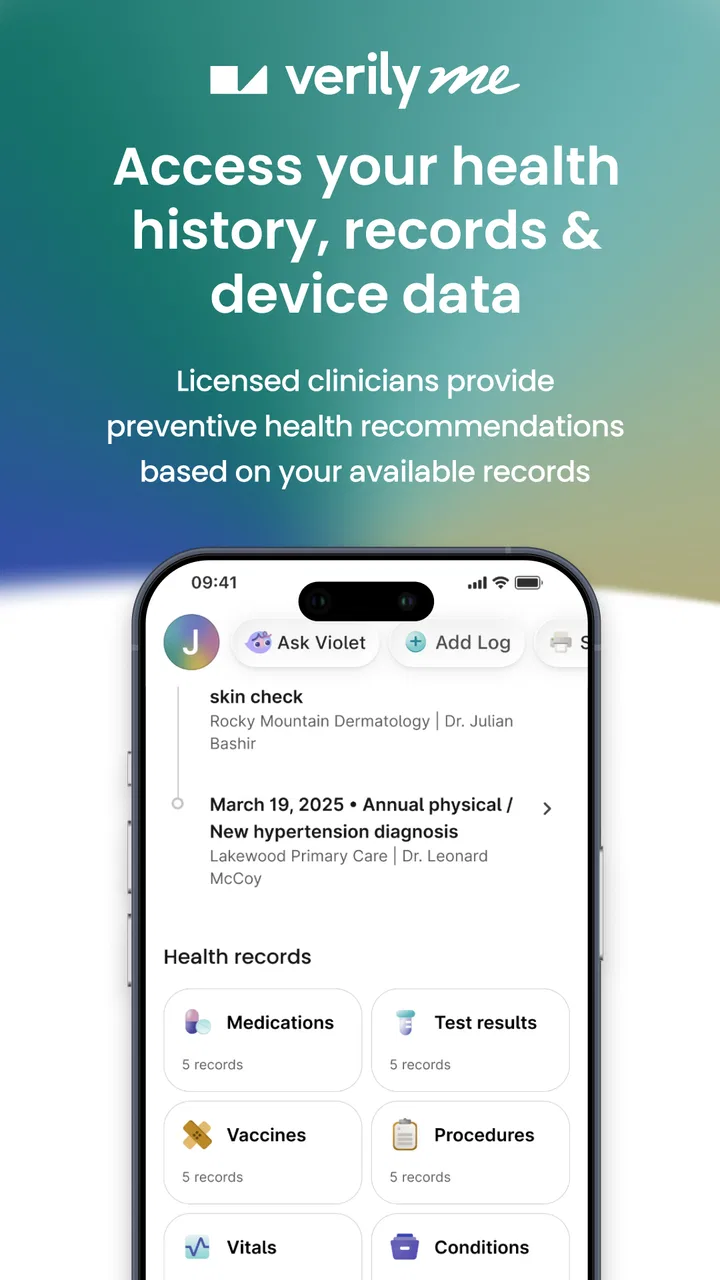
Verily Me is a medical app from Verily Life Sciences that aims to put a person’s health information in one place. I approached it less like a quick symptom checker and more like a personal health workspace: somewhere to review what matters, build a repeatable routine, and make appointments or conversations with clinicians easier to prepare for. That distinction is important, because the app is most useful when you already have health information to organize rather than when you expect it to diagnose a problem for you.
It is free, suitable for Everyone, and available for devices running Android 8.0 or later. The app was released on January 16, 2024, and the current version is 3.3.2. Its store summary, “One app to unlock your health,” is broad, but my experience is that the real value comes from reducing the small amount of friction involved in keeping health details together. I would recommend it to someone who wants a practical starting point for managing personal information, while still keeping realistic expectations about what a medical app can and cannot replace.
Starting with a simple health routine
The best way to begin with Verily Me is not to explore every screen at random. I found it more useful to decide what I want the app to help me remember, then use those needs to guide the first setup. For one person, that may mean preparing information before a doctor visit. For another, it may mean keeping track of health-related details that are otherwise scattered across messages, paper notes, and different services.
You May Also Like

 Blood Strike: 2.5 Anniversary
Blood Strike’s Loadouts Turn Every Drop Into a Tactical Gamble
A close look at Blood Strike’s custom loadouts: how fast access to signature weapons reshapes its battle royale rhythm, rewards preparation, and narrows the gap between fights.

 Pandora - Music & Podcasts
Pandora’s Music Is Easy to Start, but Harder to Recover
Pandora’s strength is its low-effort path from a seed to a station. Its weak spot is how much confidence it asks you to place in connection, setup, and quiet recovery.

 8 Ball Pool
 Is Built on Rivalries, Rematches, and Routine
A close look at the rivalries, rematches, shared routines, and unanswered safety questions that turn a quick pool match into a persistent mobile community.

 Samsung Music
’s Quiet Strength Is Playing What You Already Own
Its reach comes less from spectacle than from dependable access to a personal library. That simplicity is both the app’s strongest retention engine and its ceiling.

 AccuWeather: Weather Radar
AccuWeather Review: A Quick, Clear Forecast for Everyday Decisions
For everyday plans, the best forecast is the one you can understand quickly. AccuWeather makes rain timing, radar, and local conditions easy to act on, with a few trade-offs.

 Hill Climb Racing
Why Hill Climb Racing Still Turns Crashes Into One More Run
A tiny car, a bumpy hill and one more upgrade: Hill Climb Racing keeps resurfacing because its simple chaos makes every near-miss feel personal.
More From Our News Desk
View All News


That first decision makes the app feel less overwhelming. A health hub can quickly become a dumping ground if every possible detail is added without a purpose. I prefer to start with a short list: current concerns, questions for a clinician, important history, and anything I regularly forget. This gives the app a job instead of turning it into another place that demands constant maintenance.
A realistic everyday use case is a routine appointment. The night before, I can open the app and review the points I want to raise instead of trying to reconstruct them in the waiting room. If a symptom has changed, I can make a note of the change while it is still fresh. If the visit involves several topics, having them gathered in one place helps me stay focused. The benefit is not dramatic automation; it is the quiet improvement that comes from being better prepared.
I also like the idea of using it between appointments rather than only when something goes wrong. Health information is easier to use when it is maintained gradually. Adding a detail immediately after receiving it is usually less work than attempting a large cleanup months later. This is one of the first habits I would suggest to a new user: open the app at a natural moment, record only what is useful, and close it again.
The app’s average rating is 4.2 from around 212 ratings, with around 44 written reviews, and it has passed 10K+ installs. Those figures suggest a modest but established user base rather than a service I would assume everyone already uses. That makes it especially important to judge the app by your own workflow. If your health information is already easy to access elsewhere, the convenience may feel limited. If it is spread across several places, the central approach can be more valuable.
What I would prepare before relying on it
Before making Verily Me part of my routine, I would decide which information belongs there and which information should remain in an official medical record or another secure service. The app can help me organize my side of a healthcare conversation, but I would not treat a personal app as the authoritative source for urgent clinical decisions. For prescriptions, test results, diagnoses, and treatment instructions, I would still check the original provider or healthcare system.
This separation is a useful safeguard. It prevents a neatly arranged personal view from being mistaken for a complete medical history. It also makes the app easier to maintain because I am not trying to reproduce every record I have ever received. I can focus on the details that help me understand my situation and communicate clearly.
Another practical step is to use consistent wording. If I record the same kind of information in different ways each time, later review becomes harder. Short, plain notes work better than long diary entries. I would include the date or context when it matters, but avoid writing a full narrative for every minor event. That balance keeps the app useful without turning health management into a second job.
Settings and personal choices worth checking
Medical apps deserve a slower setup than ordinary lifestyle apps. I would review the available account, notification, and privacy choices before settling into daily use. Even when the initial configuration looks simple, the important question is whether the app’s reminders and information flow match my comfort level. A notification that helps me remember a task can also expose more context than I want on a shared screen.
I would also check whether notifications are genuinely helping. My preference is to begin with the least intrusive option, then add reminders only when I know what I am repeatedly forgetting. Too many alerts can make a health routine feel like an obligation, and eventually I may ignore the useful ones along with the unnecessary ones. The strongest setup is not the one with the most prompts; it is the one I can follow consistently.
Account organization matters as well. I would use a stable email or sign-in method that I can access when changing phones, and I would avoid creating multiple accounts simply because the first setup was rushed. A health record becomes less convenient if I have to remember which login contains which information. This is a small choice, but it can save frustration later.
There is also a difference between convenience and completeness. If the app offers a way to connect or import information, I would inspect what is actually being brought into the experience before assuming everything is synchronized. I would not make a medical decision based on the expectation that an external record has updated automatically. A quick manual check is worthwhile whenever the information is important.
One of the more useful advanced habits is to review old entries with a specific question in mind. Instead of scrolling aimlessly, I might ask, “What changed since my last appointment?” or “Which questions have I still not answered?” This turns the app from a passive archive into a preparation tool. It also exposes outdated information, which I can correct before it causes confusion.
Faster patterns for repeat use
Experienced use is mostly about reducing the number of decisions required each time the app opens. I would create a small personal routine: check the main health view, update only new information, review open questions, and stop. That sequence is faster than browsing every section and makes it easier to return regularly.
A helpful pattern is to group information by purpose rather than by the order in which I received it. For example, I might keep appointment preparation separate from ongoing personal notes. That way, a visit-specific review does not require searching through unrelated material. The exact organization should follow the screens available in the app, but the principle remains useful: arrange information around the moment when I will need it.
I would also use a “capture now, refine later” approach carefully. If I am away from home and remember an important question, a short entry is better than trusting my memory. Later, I can rewrite it into a clearer sentence and remove duplication. This two-step method is faster than waiting for the perfect wording and safer than assuming I will remember the thought at the appointment.
Another efficient habit is to review the app immediately before a healthcare interaction, then again afterward. Before the visit, I can identify priorities. Afterward, I can record what I understood, what remains unclear, and what I need to follow up on. This creates a useful bridge between preparation and follow-through. It also reduces the common problem of leaving an appointment with several instructions but no organized way to revisit them.
For family members or friends helping with care, the app may be useful as a preparation aid, but I would be cautious about treating it as a shared clinical workspace. I would only enter or discuss someone else’s information with their permission, and I would make sure the person receiving care remains involved in decisions whenever possible. A tool that helps me remember questions should not quietly become a substitute for consent or communication.
Where the app is helpful, and where it stops
The central strength of Verily Me is focus. It gives me a dedicated place to think about my health instead of forcing me to rely on a general notes app, scattered screenshots, or memory. A normal notes app may be more flexible, but it does not provide the same health-oriented context. A hospital portal may be better for official records and clinician messages, but it can be tied to one provider and may not reflect everything I want to track personally.
That comparison also shows the trade-off. A general notes app can be quicker for free-form writing. A provider portal is usually the better destination for confirmed medical information, appointment details, and direct clinical communication. Verily Me sits between those options: more purpose-built than ordinary notes, but not something I would assume replaces every healthcare system I use.
I would skip it if I am looking for emergency guidance, a diagnosis, or a complete replacement for professional care. I would also hesitate if I dislike maintaining personal records or if my existing provider tools already give me a clear, unified view. Installing another app does not automatically simplify health management; it helps only when the app fits a gap in my current routine.
There can be friction in any central health app. The first is the effort of deciding what to enter. The second is the risk of stale information if I stop reviewing it. The third is overconfidence: a polished overview can feel more complete than it really is. I regard these as workflow limitations rather than reasons to dismiss the app, but they are important. The app rewards regular, selective use more than occasional, exhaustive data entry.
I would also keep an eye on how the current version behaves after updates. Verily Me is currently at version 3.3.2, and health apps can change their navigation or notification behavior as they evolve. After an update, I would quickly revisit the main workflow and settings instead of assuming everything is exactly where I left it. That takes little time and helps prevent missed reminders or misplaced information.
Who gets the most from Verily Me
I think the app is a good fit for people who want a calmer way to prepare for medical conversations. It may suit someone managing recurring appointments, keeping track of questions, or trying to become more deliberate about personal health information. It can also help a person who is starting to organize their records but does not want to build a system from scratch in a generic productivity tool.
The strongest users will probably be those willing to establish a modest routine. They do not need to enter everything. They need to return often enough that the information remains relevant. A few useful updates made consistently are more valuable than a large initial import that is never reviewed.
It is less suitable for someone who expects instant answers to complex medical questions. It is also not my first choice for people whose main need is direct contact with a particular clinic, because a provider’s own portal may handle that relationship more directly. In those cases, Verily Me could still support preparation, but it would be an extra layer rather than the main destination.
The age rating of Everyone makes the app broadly approachable, but age suitability should not be confused with medical suitability. A child, older adult, or person managing complex care may need a trusted caregiver or clinician involved in interpreting information and deciding what action to take. The app can help organize a conversation; it should not carry that responsibility alone.
My verdict after building a repeatable workflow
Verily Me works best when I treat it as a personal health organizer with a clear boundary around its role. I would use it to collect questions, review relevant information, and prepare for conversations, while turning to healthcare professionals and official records for diagnosis, treatment, and urgent decisions. That approach makes the app feel practical rather than overpromising.
My favorite part is the way a small routine can make the experience more useful over time: capture a question when it appears, review priorities before an appointment, and clean up the information afterward. The less I ask the app to do, the more dependable that workflow becomes. I would not fill it with every possible detail simply because I can.
The key is consistency, not completeness. If I want a free medical app from Verily Life Sciences that gives my own health planning a dedicated home, I would give Verily Me a try. If I need official records, emergency support, or direct clinical care, I would choose the relevant professional service instead. For the right user, it is a useful middle ground: more intentional than scattered notes, but sensibly used alongside—not instead of—the healthcare system.
FAQs for Verily Me
01What is Verily Me and what does it do?
Verily Me is a personal organization app designed to streamline your daily tasks and goals. It offers features like task management, goal setting, and a calendar for scheduling. Users can create to-do lists, set reminders, and track their progress. It's ideal for anyone looking to boost productivity and manage their time more effectively.
02Is Verily Me free to use or does it have a subscription model?
Verily Me is available as a free download with essential features accessible to all users. However, it also offers a premium subscription that unlocks advanced functionalities such as enhanced analytics, additional customization options, and priority customer support. The app provides a free trial period for users to explore premium features.
03On which platforms is Verily Me available?
Verily Me is available for both Android and iOS devices. Users can download it from the Google Play Store for Android or the Apple App Store for iOS. The app is optimized for smartphones and tablets, ensuring a seamless experience across different devices. Regular updates are provided to enhance compatibility and performance.
04How does Verily Me ensure user data privacy and security?
Verily Me prioritizes user privacy by employing encryption for data storage and transmission. The app adheres to strict privacy policies and complies with international data protection regulations. Users can manage their data settings within the app, and Verily Me provides transparent information on how user data is handled and protected.
05Can Verily Me integrate with other productivity tools?
Yes, Verily Me offers integration with popular productivity tools like Google Calendar, Microsoft Outlook, and other third-party apps. This allows users to sync their schedules and tasks seamlessly across platforms. The integration enhances productivity by providing a unified view of all tasks and appointments in one place.
Pros
- Intuitive user interface design.
- Comprehensive health tracking features.
- Seamless integration with wearables.
- Customizable notifications and reminders.
- Detailed analytics and insights.
Cons
- Limited free version functionality.
- Occasional syncing issues with devices.
- Requires constant internet connection.
- In-app ads can be distracting.
- Some features locked behind paywall.

Verily Me
Gallery